Voice to text software for macOS and Windows

Speaking is faster
than typing.

Tiune turns speech into clean, finished text in any app on your Mac or PC. Hold a key and talk.

This is the whole interface. Hold to try it

A capture, start to finish.

Words drift in as you speak and firm up as your voice steadies. When you let go, the text is already where your cursor was.

READY
CLEAN
Hi Maya, the deck is ready. Pricing now leads the narrative, so the numbers land before the ask. Happy to walk through it tomorrow morning.
Polish Shorter
ENESC DISCARDS

How it works

Hold

Hold in any app. The bar wakes and listens for exactly as long as you hold. Nothing records until you ask.

Speak

Talk the way you think. Tiune cleans the stumbles, keeps the meaning, and fits the result to the text already around your cursor.

Release

Let go, and finished text lands where your cursor was. No window to switch to, no box to paste from.

Everything supports the speaking.

Works in every app

Mail, Slack, browsers, editors, terminal. If your cursor blinks there, Tiune types there.

Transformations, after speech

Reshape what you said once it has landed: polish it, make it professional, make it shorter, translate it — or write your own instruction. Each has a keyboard chord, live only while the capture is still up. As always, Tiune never sends, books, or opens anything for you.

Learns your vocabulary

Your names, your jargon, your mixed languages. Correct a word once and Tiune stops getting it wrong.
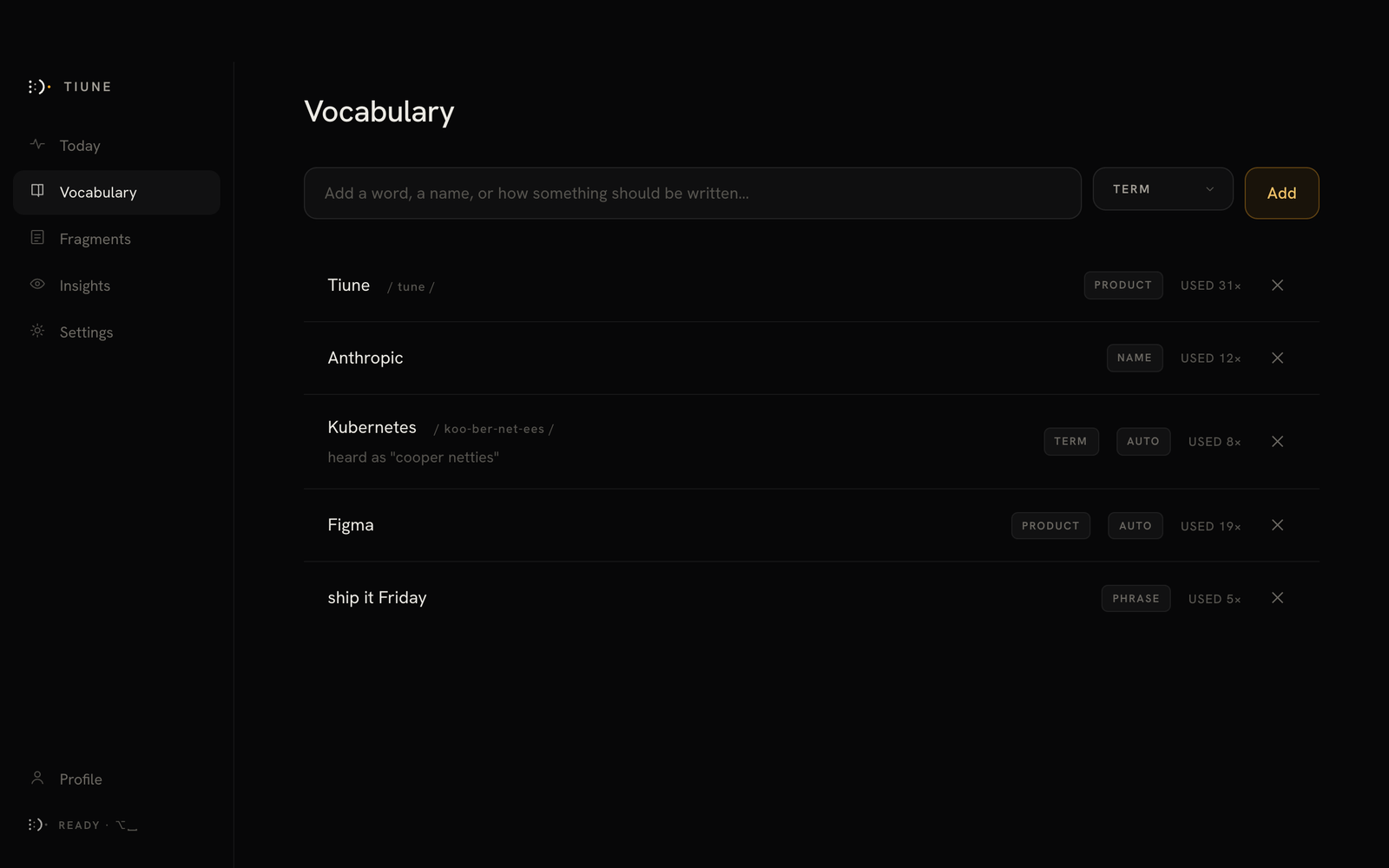
Tiune's Vocabulary settings, showing learned corrections

Honest, at a glance

The mark is the status. Listening, working, muted, offline: you always know what Tiune hears, because it shows you.

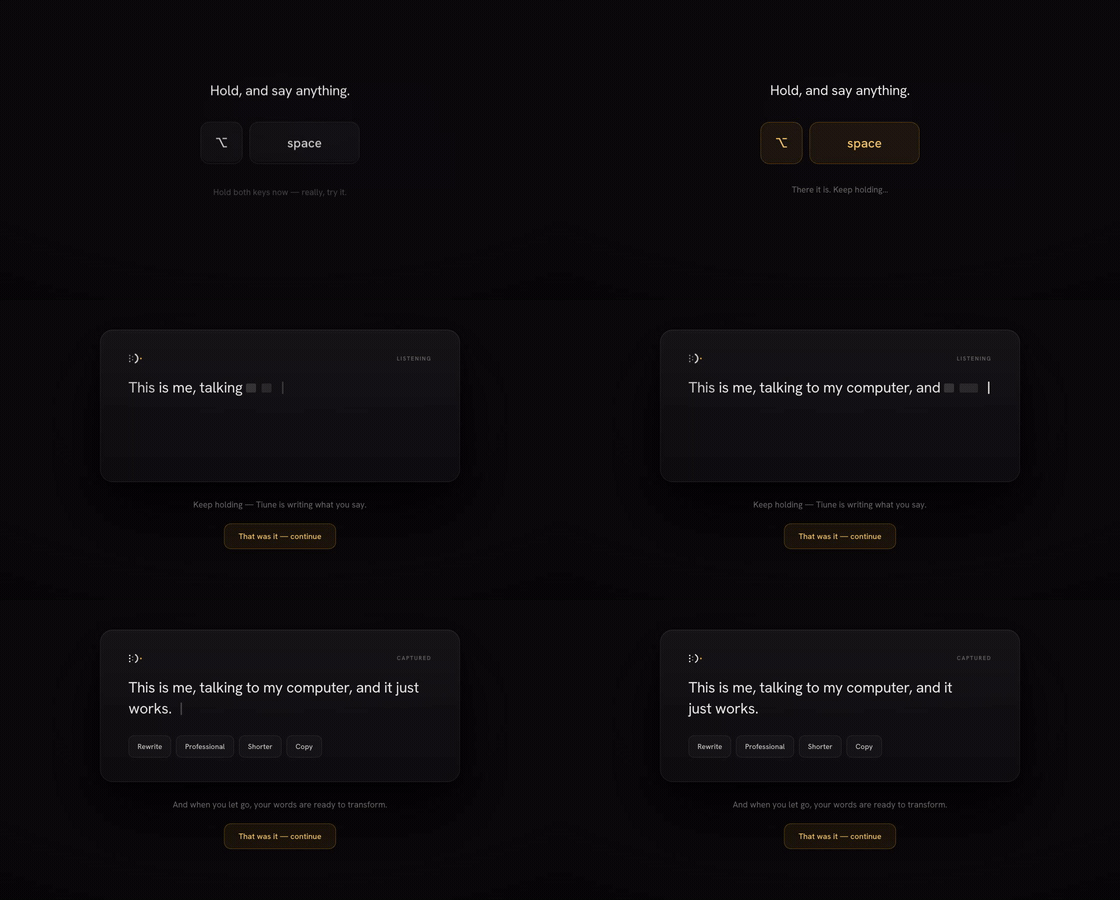
This isn't a mockup.

A few real moments from the app itself — the same hold-and-speak loop, running on an actual Mac.

Holding the Tiune shortcut to start dictating
Hold One shortcut, from anywhere.
A first dictation capture landing as finished text
Speak A first capture, start to finish.
Tiune's Vocabulary settings screen
Remember Corrections that stick.

Native on both.

Tiune is a native app on macOS and on Windows — the same dictation, the same bar, and no cloud round-trip required to use it.

macOS 12 Monterey or later, Apple silicon Windows 10 or later, 64-bit ~100 MB (480 MB with Turbo) Free Google or Apple sign-in
Tiune InstantBuilt in

Ready the moment you install — nothing to download. Fast on every Apple silicon Mac and on any recent PC.

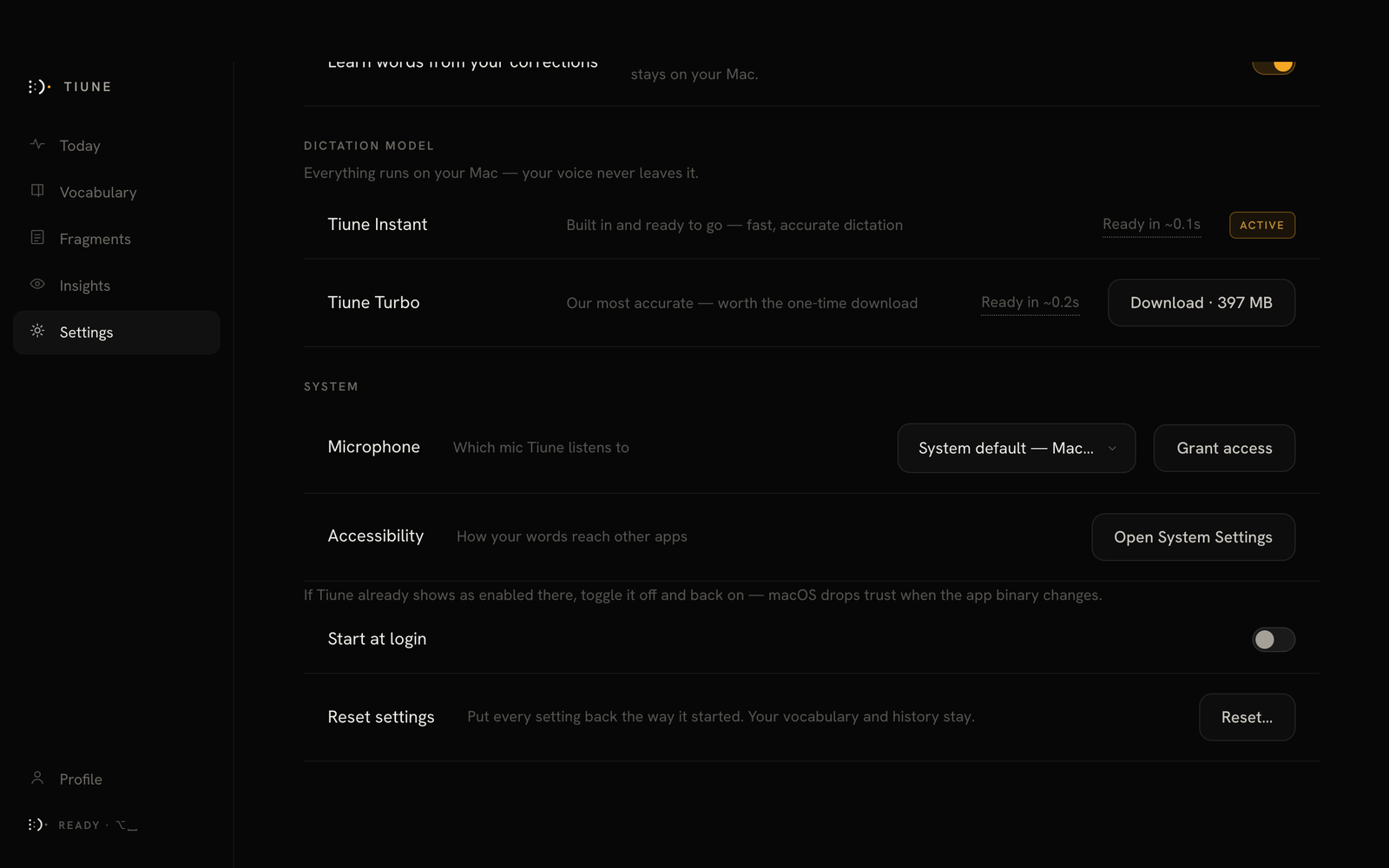
Tiune TurboOptional download

A larger engine for the best possible English accuracy. Tiune measures how it actually runs on your machine before you switch, so you always know what to expect — just an honest wait-time estimate.

Choosing between Tiune Instant and Tiune Turbo in Settings

Tiune Instant active, Tiune Turbo ready to download — switch any time in Settings.

Dictation is free. Forever.

Everything that runs on your own machine costs nothing and always will — unlimited dictation, your vocabulary, your history. The paid plans add the two things that can’t run locally: AI cleanup, and cloud transcription.

Free
$0
No account needed to dictate.

Everything on-device. Nothing you say leaves your computer.

  • Unlimited local dictation
  • Three engines, including 99-language Multilingual
  • Punctuation, filler removal, your vocabulary
  • No AI cleanup
  • No cloud transcription
Pro
$11/month
or $110 a year — two months free

The most accurate Tiune gets, in 90+ languages, without asking anything of your hardware.

  • Everything in Plus
  • Cloud transcription — 90+ languages
  • More than one language in a single sentence — switch mid-thought, no setting to change
  • Write it back in that language, in Latin letters, or in English
  • Priority support
  • New features first
Enterprise
Let’s talk
Priced to your team.

Everything in Pro, on your organisation’s terms.

  • Seat management and central billing
  • Invoicing and purchase orders
  • SSO
  • Deployment help and a named contact

One thing worth knowing about Plus. Plus adds the AI cleanup pass, but transcription still runs on whichever engine you have installed — so it hears whatever that engine hears. Tiune Instant and Tiune Turbo are English-only; if you dictate in another language on Plus, use Tiune Multilingual, which covers 99 of them on your own machine. On Pro the question doesn’t come up: transcription happens in the cloud in 90+ languages either way.

Paying doesn’t cost you your privacy.

Free runs entirely on your own machine, so there is nothing to promise. Plus and Pro send words and audio to a server — and that is exactly where a promise has to mean something. These three hold on every plan, and none of them is a setting you have to find and switch on.

Tiune never stores your audio.

Your voice is processed as it streams and never written down — not to a file on your computer, not to a database, not to a log, not on our server. Every online request is sent with zero retention set.

FreePlusPro

Your words never train an AI model.

We keep nothing to train on. The AI cleanup pass runs on Groq, which is contractually barred from training on what it receives and retains nothing by default — and there is no opt‑in buried in Settings that would change that.

FreePlusPro

No one at Tiune reads your words.

No human review, no quality sampling, no support engineer who can pull up what you said. There is nothing stored for anyone to read. Your history lives on your computer, and you can switch it off or erase it in Settings.

FreePlusPro

What we do collect. Anonymous product-usage counts — which features get used, how often the app is opened — and never your transcripts, your audio or your vocabulary. It is a toggle in Settings › Privacy, and turning it off is one click. The full detail is in the privacy policy.

The interface almost disappears.
What remains is your language.

Start speaking.

Download for macOS Download for Windows